Artificial Intelligence
The 20 Best AI Tools for Business in 2026 (Features, Use Cases, Pros, Cons & Recommendations) #part3
Discover the best AI tools for business in 2026. Compare features, pricing, use cases, benefits, risks, and expert recommendations for every business size.
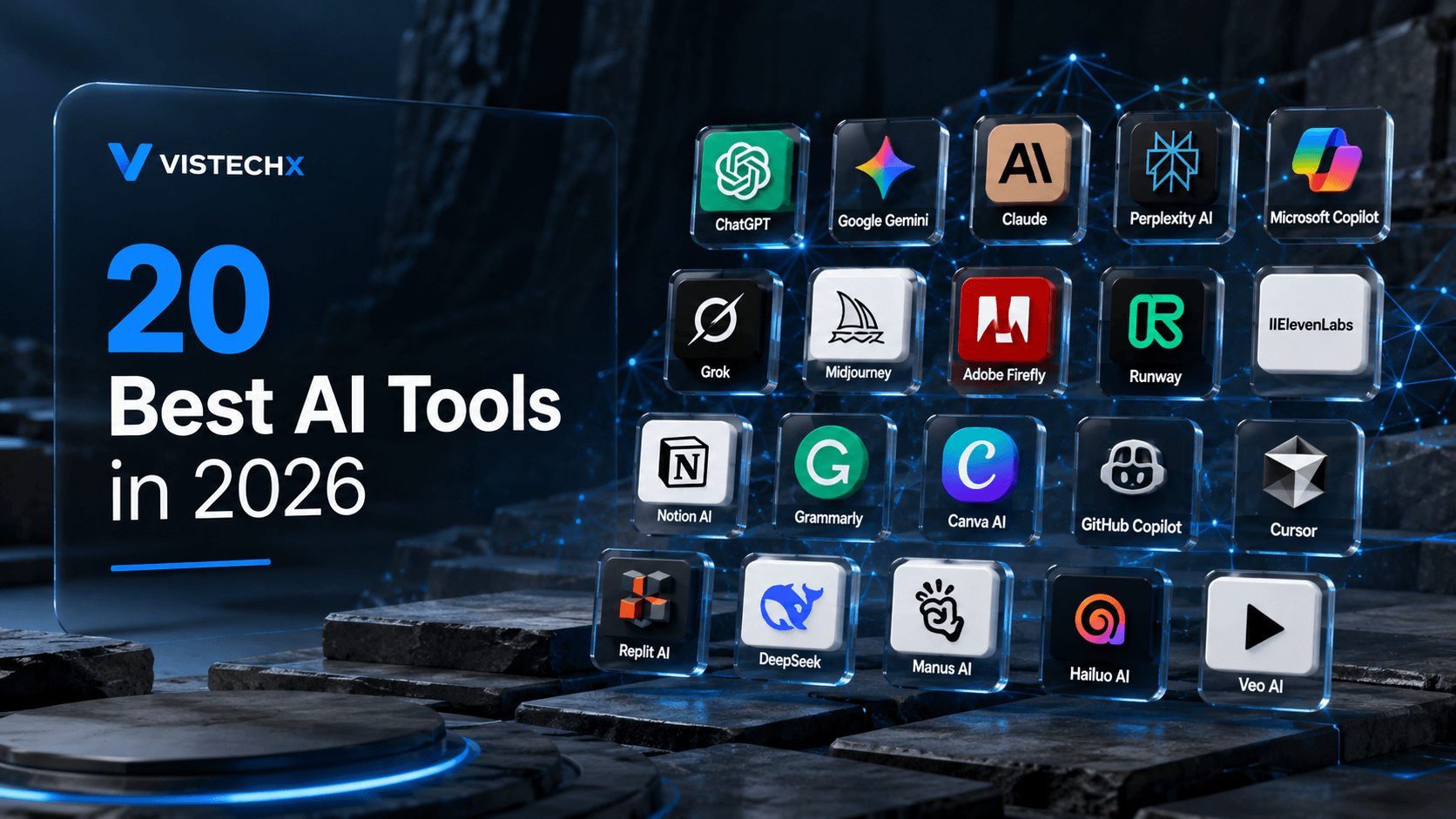
The 20 Best AI Tools for Business in 2026
No single AI platform is ideal for every business. A marketing agency, software startup, manufacturing company, healthcare provider, and financial institution all have different priorities, regulatory requirements, and workflows.
Instead of asking, "Which AI tool is the best?", a more practical question is:
"Which AI tool is best for my business goals, team size, budget, and workflow?"
This section evaluates leading AI platforms based on:
- Core capabilities
- Ease of use
- Integration ecosystem
- Scalability
- Security
- Business value
- Suitable organization size
- Key limitations
Comparison at a Glance
| AI Tool | Best For | Learning Curve | Business Size |
|---|---|---|---|
| ChatGPT | General productivity | Easy | All |
| Claude | Long-form writing & document analysis | Easy | All |
| Gemini | Google Workspace users | Easy | SMB–Enterprise |
| Microsoft Copilot | Microsoft 365 organizations | Easy | SMB–Enterprise |
| GitHub Copilot | Software development | Medium | All |
| Notion AI | Knowledge management | Easy | SMB |
| Perplexity AI | Research | Easy | All |
| Grammarly | Business communication | Easy | All |
| Canva AI | Marketing design | Easy | Small–Medium |
| Midjourney | Creative image generation | Medium | Creative teams |
| Zapier AI | Workflow automation | Medium | SMB |
| Make | Complex automation | Medium | SMB–Enterprise |
| Salesforce Einstein | Sales | Advanced | Enterprise |
| HubSpot AI | Marketing & CRM | Easy | SMB |
| Jasper | Marketing content | Easy | Agencies |
| Fireflies AI | Meeting intelligence | Easy | All |
| Otter AI | Meeting transcription | Easy | All |
| ClickUp AI | Project management | Easy | SMB |
| Cursor | AI-assisted software development | Medium | Developers |
| NotebookLM | Research & knowledge synthesis | Easy | Students, researchers, businesses |
1. ChatGPT
Overview
ChatGPT has become one of the most widely adopted AI assistants for businesses because of its versatility. Rather than focusing on a single function, it supports writing, brainstorming, coding, data analysis, customer communication, document summarization, and strategic planning.
Its flexibility makes it valuable across departments, from marketing and sales to HR, engineering, and executive leadership.
Best Use Cases
- Business writing
- Proposal creation
- Marketing campaigns
- Brainstorming
- Customer support drafts
- Coding assistance
- Research summaries
- Data interpretation
Strengths
- Excellent natural language understanding
- Strong reasoning capabilities
- Supports multiple file types
- Broad ecosystem and integrations
- Useful across many industries
Limitations
- Requires human review for critical outputs
- Knowledge may not include the latest events unless connected to current data
- Quality depends on prompt clarity
Best For
- Startups
- Freelancers
- Consultants
- Agencies
- Enterprises
2. Claude
Overview
Claude is particularly strong at analyzing lengthy documents, maintaining context across extended conversations, and producing natural, well-structured writing.
Many legal teams, researchers, and technical writers appreciate its ability to summarize dense material while preserving important details.
Ideal Tasks
- Policy analysis
- Contract review
- Research reports
- Technical documentation
- Long-form content
Advantages
- Excellent document handling
- Natural writing style
- Strong contextual memory
- Helpful for analytical tasks
Drawbacks
- Fewer third-party integrations than some competitors
- Performance may vary depending on task complexity
3. Google Gemini
Organizations deeply invested in Google Workspace often find Gemini integrates naturally into existing workflows.
It can assist with:
- Gmail
- Docs
- Sheets
- Slides
- Meet
- Drive
Business Benefits
- Workspace integration
- Collaborative editing
- Presentation generation
- Spreadsheet assistance
- Email drafting
4. Microsoft Copilot
Microsoft Copilot extends AI capabilities across Microsoft 365 applications.
Employees can ask questions such as:
"Summarize this month's emails."
or
"Create a PowerPoint based on this report."
without manually moving data between applications.
Strongest Areas
- Word
- Excel
- Outlook
- Teams
- PowerPoint
Ideal Organizations
Businesses already standardized on Microsoft's ecosystem.
5. GitHub Copilot
GitHub Copilot has significantly changed software development workflows.
Instead of replacing developers, it accelerates repetitive coding tasks while allowing engineers to focus on architecture and problem-solving.
Common Uses
- Code generation
- Function completion
- Documentation
- Unit testing
- Debugging
Benefits
- Faster development
- Better onboarding
- Reduced repetitive typing
Caution
Generated code should always undergo testing, security review, and human validation before deployment.
6. Notion AI
Knowledge management has become increasingly important as organizations generate growing volumes of documentation.
Notion AI helps teams:
- summarize notes
- organize knowledge
- answer internal questions
- draft documentation
- improve collaboration
It works particularly well for startups and distributed teams.
7. Perplexity AI
Unlike traditional chat assistants, Perplexity emphasizes research by combining conversational responses with source references.
This makes it particularly useful for:
- market research
- competitor analysis
- technology exploration
- academic reading
- quick literature reviews
Best For
Businesses needing fast, research-oriented answers rather than purely generative content.
8. Grammarly
While often viewed as a grammar checker, Grammarly has evolved into a broader communication assistant.
Business uses include:
- professional emails
- reports
- proposals
- customer communication
- tone adjustment
- clarity improvements
It is especially valuable for organizations where written communication directly affects customer trust.
9. Canva AI
Marketing teams increasingly require visual content across websites, advertisements, presentations, and social media.
Canva AI assists with:
- presentations
- advertisements
- marketing graphics
- logo concepts
- social media assets
- image editing
Its intuitive interface makes professional design accessible to non-designers.
10. Midjourney
Midjourney specializes in generating artistic, highly detailed images from natural language prompts.
Businesses use it for:
- concept art
- product visualization
- campaign ideation
- creative exploration
Because generated images may require licensing and human review, organizations should establish clear usage policies.
11. Zapier AI
Automation often produces one of the highest returns on AI investment.
Zapier connects thousands of software applications, enabling businesses to automate repetitive workflows without extensive programming.
Example:
Customer submits form
↓
CRM updated
↓
AI qualifies lead
↓
Sales representative notified
↓
Follow-up email generated
12. Make
Make offers more advanced workflow automation than many entry-level automation platforms.
Suitable for:
- multi-step workflows
- conditional logic
- API integrations
- enterprise automation
Its visual workflow builder enables technical and non-technical teams to automate complex business processes.
13. Salesforce Einstein
Organizations managing large sales operations often require predictive analytics in addition to automation.
Salesforce Einstein provides:
- sales forecasting
- lead scoring
- opportunity insights
- customer recommendations
- CRM intelligence
This makes it particularly useful for enterprise sales organizations.
14. HubSpot AI
HubSpot integrates AI directly into CRM, marketing, customer support, and sales operations.
Capabilities include:
- marketing content
- customer emails
- CRM summaries
- campaign recommendations
- customer segmentation
It is especially attractive for growing businesses seeking an integrated platform.
15. Jasper
Jasper focuses primarily on marketing content production.
Common outputs include:
- advertising copy
- landing pages
- blog outlines
- product descriptions
- email campaigns
Marketing agencies often use Jasper to accelerate initial drafts while maintaining human editorial review.
16. Fireflies AI
Meetings frequently generate valuable information that is difficult to document consistently.
Fireflies AI automatically:
- records meetings
- creates transcripts
- identifies action items
- summarizes discussions
- enables searchable archives
This improves organizational knowledge retention.
17. Otter AI
Otter AI specializes in accurate transcription and meeting documentation.
Useful for:
- interviews
- classrooms
- board meetings
- client calls
- workshops
Its searchable transcripts reduce time spent reviewing recordings.
18. ClickUp AI
Project management increasingly includes AI-assisted planning.
ClickUp AI supports:
- task creation
- project summaries
- documentation
- workflow suggestions
- productivity improvements
Teams benefit from reduced administrative overhead while maintaining project visibility.
19. Cursor
Cursor has emerged as a popular AI-powered development environment designed specifically for software engineers.
Unlike general-purpose chat assistants, Cursor integrates AI directly into the coding workflow.
Features include:
- intelligent code editing
- repository understanding
- debugging assistance
- refactoring
- documentation generation
Many development teams use Cursor alongside version control and testing pipelines to accelerate software delivery.
20. NotebookLM
NotebookLM is designed for knowledge synthesis rather than general conversation.
Users can upload trusted source material and ask questions grounded in those documents.
Business applications include:
- research synthesis
- policy analysis
- onboarding materials
- educational content
- internal knowledge management
Because responses are tied to provided sources, NotebookLM can help reduce unsupported answers in document-centric workflows.
Which AI Tool Is Best for Different Business Needs?
| Business Need | Recommended Category |
|---|---|
| Writing & Documentation | ChatGPT, Claude |
| Coding | GitHub Copilot, Cursor |
| Research | Perplexity AI, NotebookLM |
| Design | Canva AI, Midjourney |
| CRM & Sales | Salesforce Einstein, HubSpot AI |
| Meetings | Fireflies AI, Otter AI |
| Automation | Zapier AI, Make |
| Project Management | ClickUp AI |
| Productivity | Microsoft Copilot, Gemini |
Pros and Cons of Using AI Tools in Business
| Advantages | Challenges |
|---|---|
| Increased productivity | Requires human oversight |
| Faster content creation | Risk of inaccurate outputs |
| Better customer support | Data privacy considerations |
| Workflow automation | Employee training needed |
| Improved decision support | Integration complexity |
| Reduced repetitive work | Subscription costs |
| Scalable operations | Vendor dependency |
Expert Insight Box
The most successful organizations rarely standardize on a single AI platform. Instead, they build a complementary ecosystem where each tool serves a specific purpose—for example, using one assistant for writing, another for coding, a separate platform for automation, and a CRM-integrated solution for sales. This approach maximizes strengths while minimizing overlap and unnecessary costs.
Common Myths About Business AI
Myth 1: AI Will Replace Every Employee
Reality: AI is best viewed as a productivity amplifier. It automates repetitive work and supports decision-making, but human expertise remains essential for creativity, ethics, strategy, and complex judgment.
Myth 2: The Most Popular AI Tool Is Always the Best
Reality: Suitability depends on your workflows, integrations, security requirements, and budget—not popularity alone.
Myth 3: AI Always Produces Correct Answers
Reality: AI systems can generate plausible but incorrect information. Critical outputs should always be verified by knowledgeable users.
Myth 4: Small Businesses Don't Need AI
Reality: Small businesses often gain significant value from AI by automating routine tasks, improving customer service, and increasing productivity without hiring additional staff.
Key Takeaways
- Different AI tools excel at different business functions; no single platform fits every need.
- The best AI strategy often combines specialized tools for writing, coding, automation, research, meetings, and CRM.
- Ease of integration, security, and employee adoption are just as important as advanced features.
- Human review remains essential for high-impact decisions and customer-facing content.
- Choosing AI based on business objectives delivers better long-term value than following trends.
Write your article here...
About the Author
Aslam Hossain is the founder and editor of Vishtech Blog, creating accessible technology content about AI, software, startups, robotics, cybersecurity, and future innovations.
Comments
Article text preview: The 20 Best AI Tools for Business in 2026 No single AI platform is ideal for every business. A marketing agency, software startup, manufacturing compa