Computer Science
What Is Source Code? Understanding the Foundation of Every Program #part2
Discover what source code is, why it is simply text, how programming languages use source files, and what happens before compilation or interpretation begins.

Source Code Explained: The First Step in Every Program's Journey
Part 2 — Understanding Source Code
Before a Program Can Run, It Begins as Plain Text
Open your favorite code editor—Visual Studio Code, PyCharm, IntelliJ IDEA, Sublime Text, or even Notepad.
Now type a few simple lines:
print("Hello, World!")
Save the file as:
hello.py
At this moment, something surprising is true.
You haven't created a program that the computer can execute.
You've created a text file.
That's all.
Despite the colorful syntax highlighting, auto-completion, and developer tools surrounding it, your Python file is fundamentally no different from a shopping list, a recipe, or a note written in a text editor. The computer doesn't see keywords highlighted in blue or strings highlighted in green. Those colors exist only to help you read the code.
Underneath the editor, the file is simply a sequence of characters stored on disk.
This is what programmers call source code.
Source code is the human-readable description of a program. It tells the computer what you want to happen, but not in a language the processor can execute directly. Before any instruction reaches the CPU, that text must be analyzed, understood, and translated by specialized software such as a compiler or interpreter.
What Is Source Code?
Source code is the original form of a program written by a developer using a programming language.
Whether you're building a website, a mobile app, a game, or an operating system, everything starts as source code.
For example, these are all valid source code.
Python
name = "Alice"

print(f"Hello, {name}")
JavaScript
const name = "Alice";

console.log(`Hello, ${name}`);
C
#include <stdio.h>

int main() {
    printf("Hello, Alice");
    return 0;
}
Although these programs use different syntax, they all express the same idea.
Each is simply a text document containing instructions written according to the grammar of its programming language.
The CPU cannot execute any of these files directly.
Instead, they become the input for the next stage of the execution pipeline.
Figure 3. Source code is the human-readable version of a program. Different programming languages have different syntax, but they all begin as ordinary text files.
Caption: Source code allows developers to express ideas in a readable format before translation into machine instructions.
SEO Alt Text: Source code examples in Python, JavaScript, and C displayed in a modern code editor.
Source Code Is Just Text
One of the biggest misconceptions among beginners is that source code is some kind of special file format.
It isn't.
A Python file ending in .py is simply a text file.
A JavaScript file ending in .js is also text.
The same is true for:
| Language | Extension |
|---|---|
| Python | .py |
| JavaScript | .js |
| C | .c |
| C++ | .cpp |
| Java | .java |
| Go | .go |
| Rust | .rs |
The extension helps development tools identify the language, but the operating system doesn't treat these files as magical objects.
Inside the file, you'll find nothing more than characters encoded using standards such as UTF-8 or ASCII.
If you rename hello.py to hello.txt, you can still open it in any text editor and read its contents. The code doesn't disappear. Only the file association changes.
That's why version control systems like Git can compare changes line by line. They're comparing plain text, not binary program instructions.
Key Insight
Source code is designed for humans to read and modify. Machine code is designed for processors to execute.
Why Can't the CPU Read Source Code?
Imagine handing a French novel to someone who only understands Japanese.
The pages are full of meaningful information—but only if the reader understands the language.
The CPU faces a similar challenge.
Processors are built from billions of transistors that recognize electrical patterns representing binary values.
They don't understand words such as:
printifwhilefunctionclassreturn
These words exist only because programming languages provide abstractions that make software development practical.
When the CPU receives instructions, it expects binary machine code such as:
10110000 01100001
11000011
Those binary patterns correspond to specific processor instructions defined by the processor's instruction set architecture (ISA), such as x86-64 or ARM.
Everything written in Python, JavaScript, Java, or C must eventually be translated into these low-level instructions before execution can begin.
Source Code Describes Intent, Not Hardware
One of the greatest strengths of modern programming languages is that they let developers focus on what they want to achieve instead of how every transistor should behave.
Consider this simple statement:
total = price * quantity
To you, the intent is obvious.
Multiply two values and store the result.
To the computer, however, this single line eventually expands into many low-level operations, including:
- Loading values from memory
- Performing multiplication
- Storing the result
- Updating processor registers
- Managing memory references
The source code hides this complexity.
That's exactly what it was designed to do.
How Code Editors Help Without Changing the Code
Modern editors often make source code look far more sophisticated than it actually is.
Features such as:
- Syntax highlighting
- Auto-completion
- Error detection
- Code formatting
- Refactoring tools
- Inline documentation
are conveniences provided by the editor.
They don't become part of your source code.
For example, this Python program:
message = "Programming is fun"

print(message)
may appear colorful inside Visual Studio Code, but if you open the same file in a plain text editor, the colors disappear.
The instructions remain exactly the same.
The compiler or interpreter never sees syntax highlighting—it only reads the raw text stored in the file.
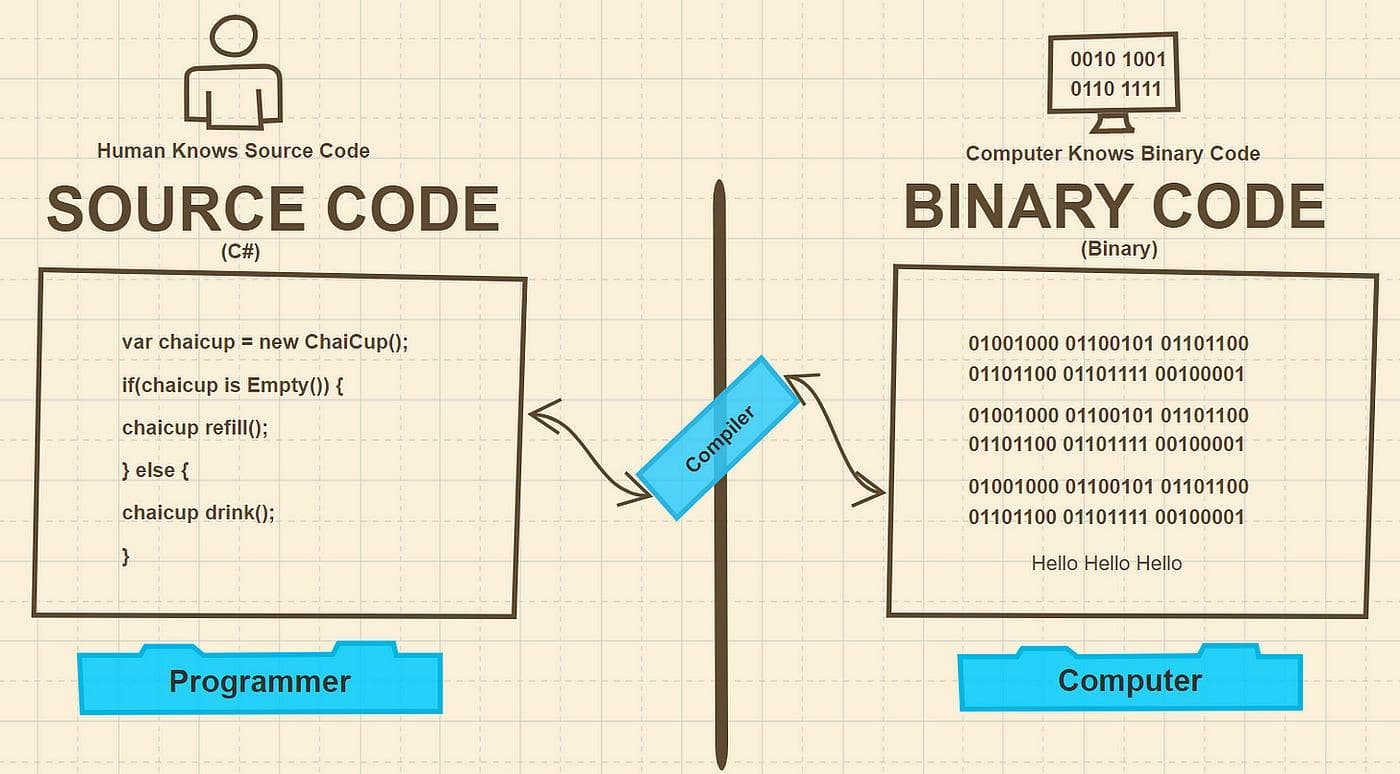
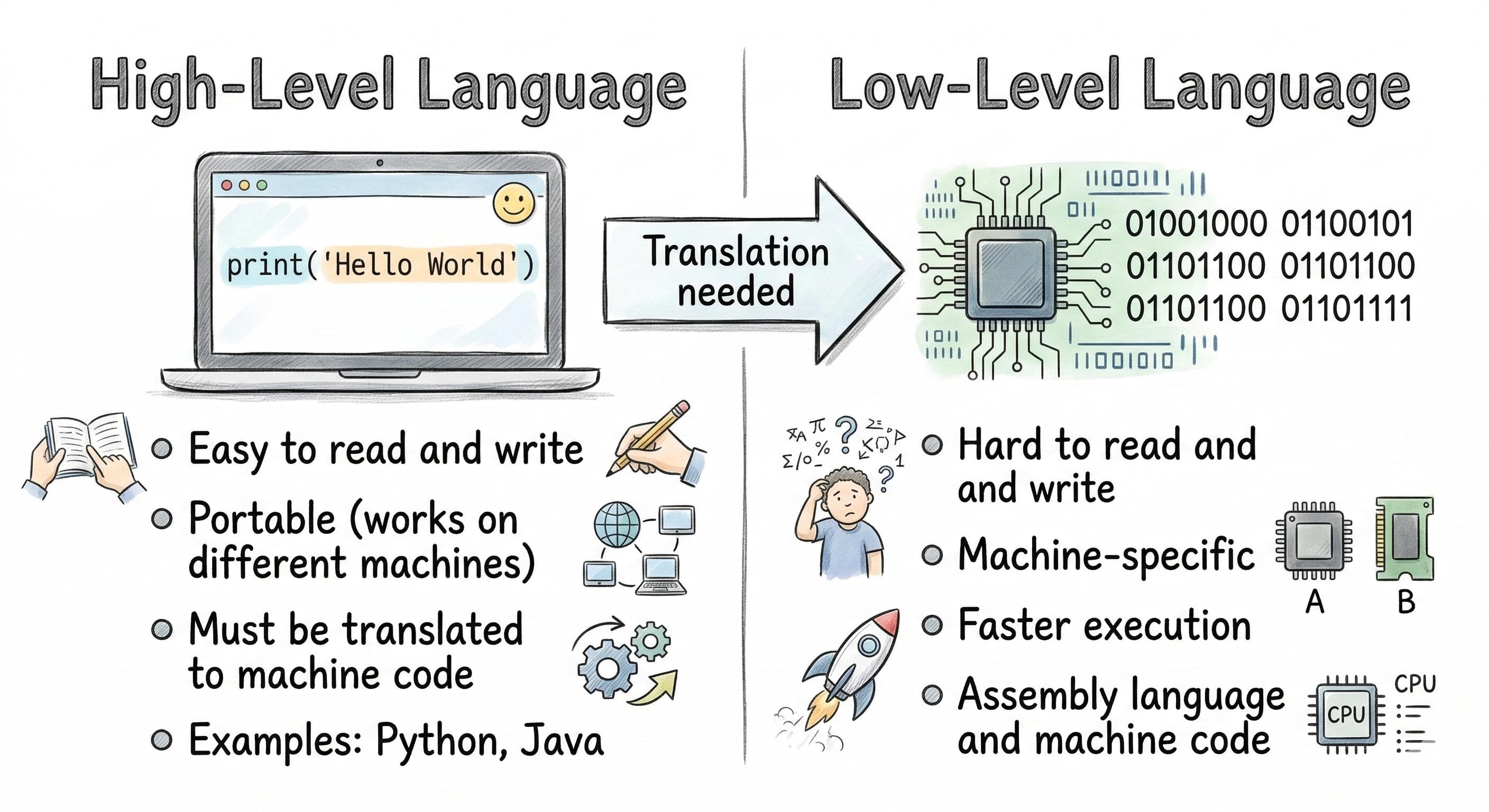
Figure 4. Source code is readable by humans, while machine code consists of binary instructions designed for processors.
Caption: Compilers and interpreters bridge the gap between readable source code and executable machine instructions.
SEO Alt Text: Side-by-side comparison of source code and binary machine code showing the translation process.
Where Source Code Lives
Every software project is made up of source files organized into directories.
A small Python project might look like this:
project/
│
├── main.py
├── calculator.py
├── database.py
├── config.py
└── requirements.txt
A larger web application may contain thousands of source files spread across dozens of folders.
Developers use version control systems such as Git to track changes to these text files, collaborate with teammates, and maintain the history of the project.
Even enormous applications like web browsers, operating systems, and game engines begin as collections of ordinary source files.
Source Code Is Only the Beginning
At this stage, your program still hasn't executed.
The computer has not yet:
- verified the syntax,
- checked for errors,
- understood variables,
- analyzed functions,
- optimized the program,
- or generated machine instructions.
All it has is a collection of text.
The real work begins when specialized software starts reading that text character by character.
The first component responsible for that job is called the lexer, also known as the lexical analyzer.
Rather than understanding complete statements, the lexer performs a simpler—but essential—task: it breaks the raw source code into meaningful pieces called tokens.
Those tokens become the foundation for everything that follows, including parsing, syntax analysis, optimization, compilation, and ultimately CPU execution.
In the next section, we'll explore how the lexer transforms an ordinary text file into structured information the rest of the programming pipeline can understand.Write your article here...
About the Author
Aslam Hossain is the founder and editor of Vishtech Blog, creating accessible technology content about AI, software, startups, robotics, cybersecurity, and future innovations.
Comments
Article text preview: Source Code Explained: The First Step in Every Program's Journey Part 2 — Understanding Source Code Before a Program Can Run, It Begins as Plain Text